Can't find our server?
Our race servers only show up in Assetto Corsa Competizione when your Multiplayer filters are set correctly. Follow these steps and the ACL server will appear in the list.
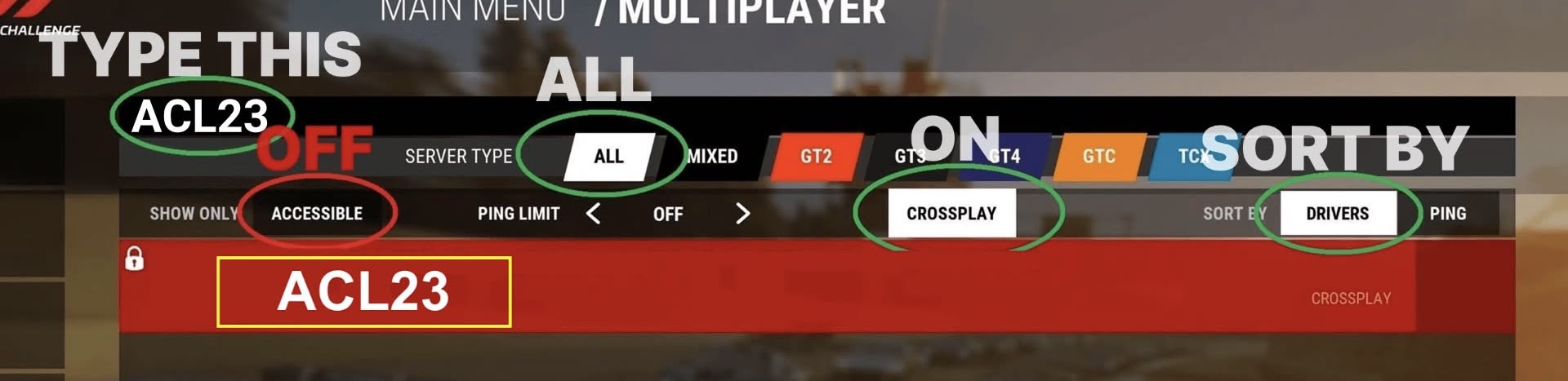
Step by step
Where's the password?
Open the Events tab in the ACL23 app and find your race. Verified members see the server name and password right on the race card (🖥 line). If you don't see it, make sure you're signed in, subscribed, and your gamertag is verified in your Profile.
Still stuck?
Double-check the search term is consoles and that Show Only Accessible is OFF — that's the setting that hides our password-protected server most often. If it still won't appear, ask in the ACL Discord or email [email protected].