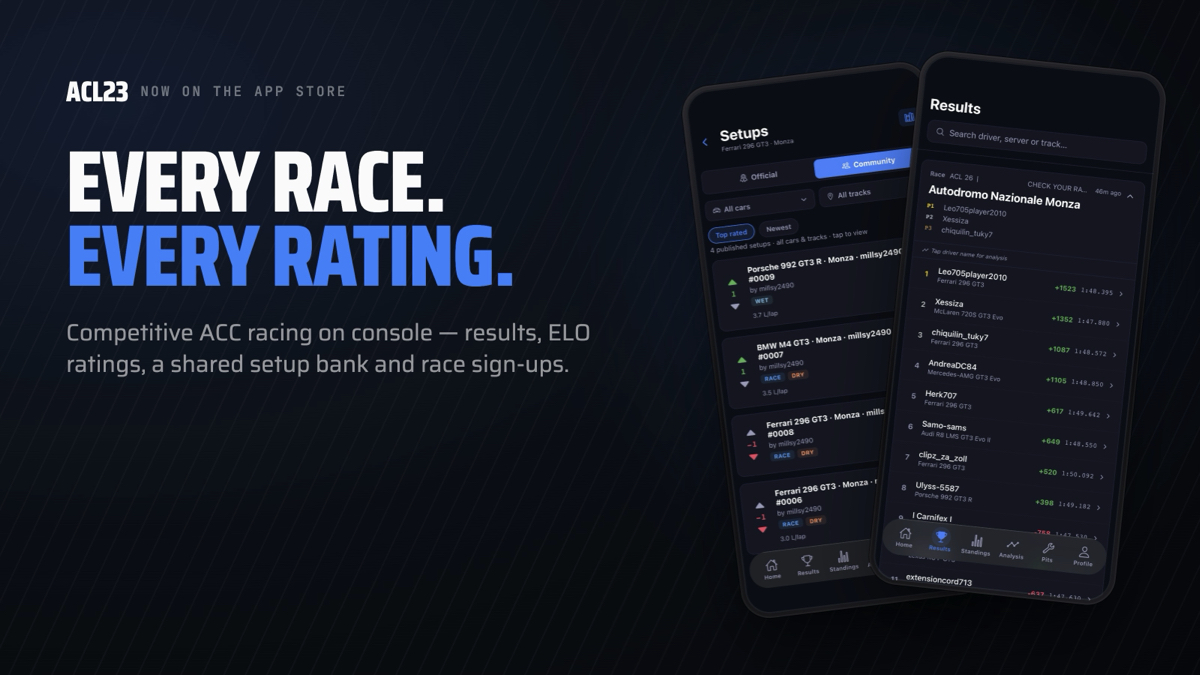
Start winning.

Race.
Select a session
Choose a qualifying or race result from the list on the left.
Select a driver
Search by name or pick from the list to see their full profile.
Paddock Pass
Full driver analytics. Select a driver above to unlock their complete racing profile — ACL Rating, sector analysis, track heatmap, form guide and incident log.
ACL23 App Support
Everything you can do in the ACL23 app for iPhone — track every race, rating and rival across the console Assetto Corsa Competizione grid. This guide walks through every screen, step by step.
Free to follow, member to compete
You never need an account just to look around — everything you need to watch the league is free. Membership unlocks the tools you need to compete, and it keeps the league running (ACL isn't run for profit; membership covers servers, hosting and admin).
| Feature | Free | Member |
|---|---|---|
| Browse all race results & leaderboards | ✓ | ✓ |
| Full championship standings & tiers | ✓ | ✓ |
| Deep driver analysis (any driver) | ✓ | ✓ |
| Track records & fastest laps | ✓ | ✓ |
| Link & verify your gamertag | ✓ | ✓ |
| Sign up for official races | — | ✓ |
| See event server name & password | — | ✓ |
| Push notifications (incl. personal-best & rival lap alerts) | — | ✓ |
| Follow drivers & mark rivals | — | ✓ |
| Pits setup toolkit (setups, tuning, fuel calc) | — | ✓ |
| Community setup bank (browse, vote, publish) | — | ✓ |
| Export your data (CSV / JSON) | — | ✓ |
Sign in & claim your profile
Signing in
ACL23 uses Sign in with Apple — no passwords. You can browse most of the app without signing in; you're only asked when you do something tied to your profile, like signing up for a race, following a driver, or upgrading.
Linking your gamertag
- Go to the Profile tab and tap Find My Profile.
- Type your gamertag exactly as it appears in the race results.
- Confirm — your driver card, DR rating and stats appear instantly, and you're marked Verified straight away.
Tip: if nothing matches, double-check spelling and capitalisation against a recent results sheet — the app matches the exact name recorded on the server.
10-profile.png🏠 Home
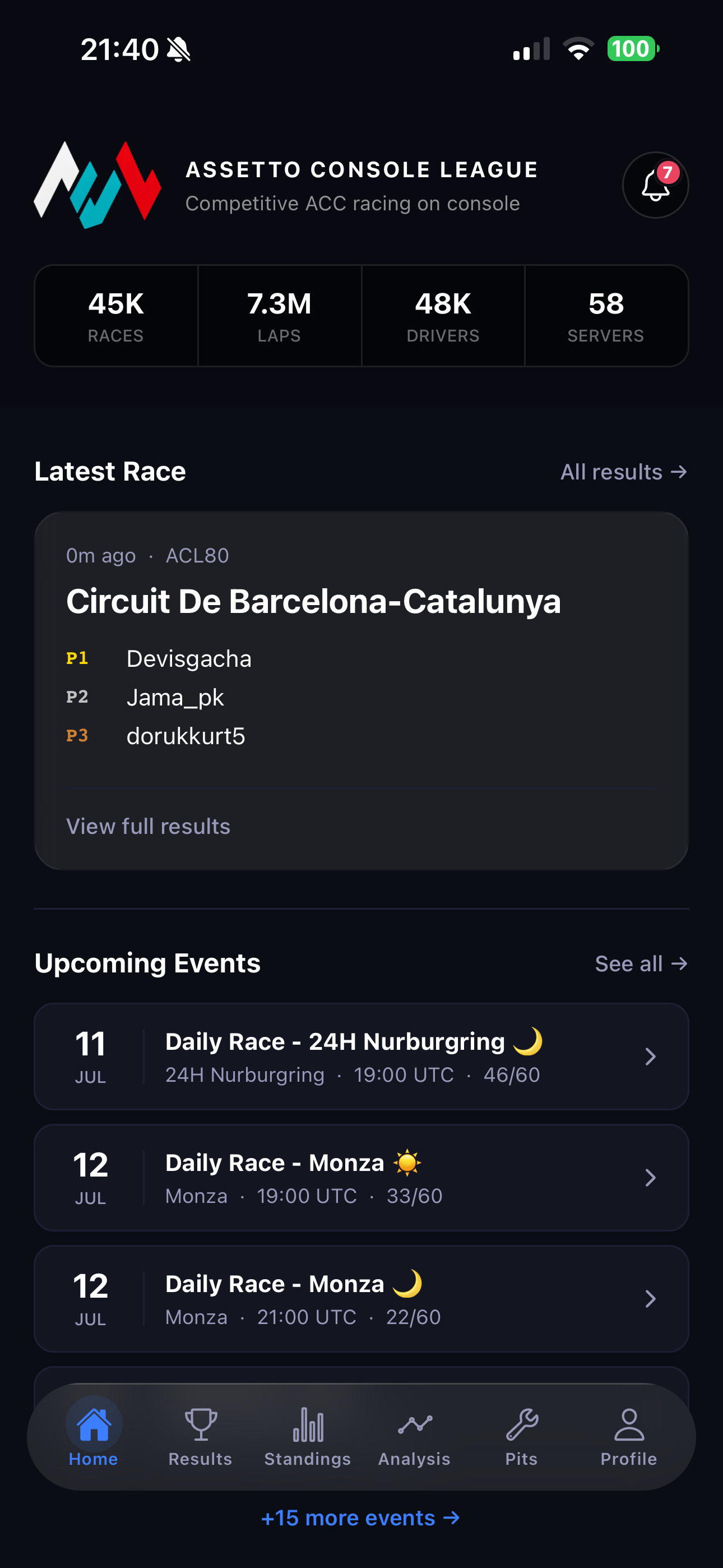
01-home.pngYour dashboard — a snapshot of the whole league the moment you open the app.
- League stats — total races, laps, drivers and servers.
- Latest race podium card, with View full results.
- Upcoming events preview — tap See all for the full race calendar.
- Standings preview — a quick look at the top of the championship.
- Notifications bell (top-right) with an unread badge.
Pull down to refresh at any time, and tap any card to jump straight to the screen behind it.
🏆 Results
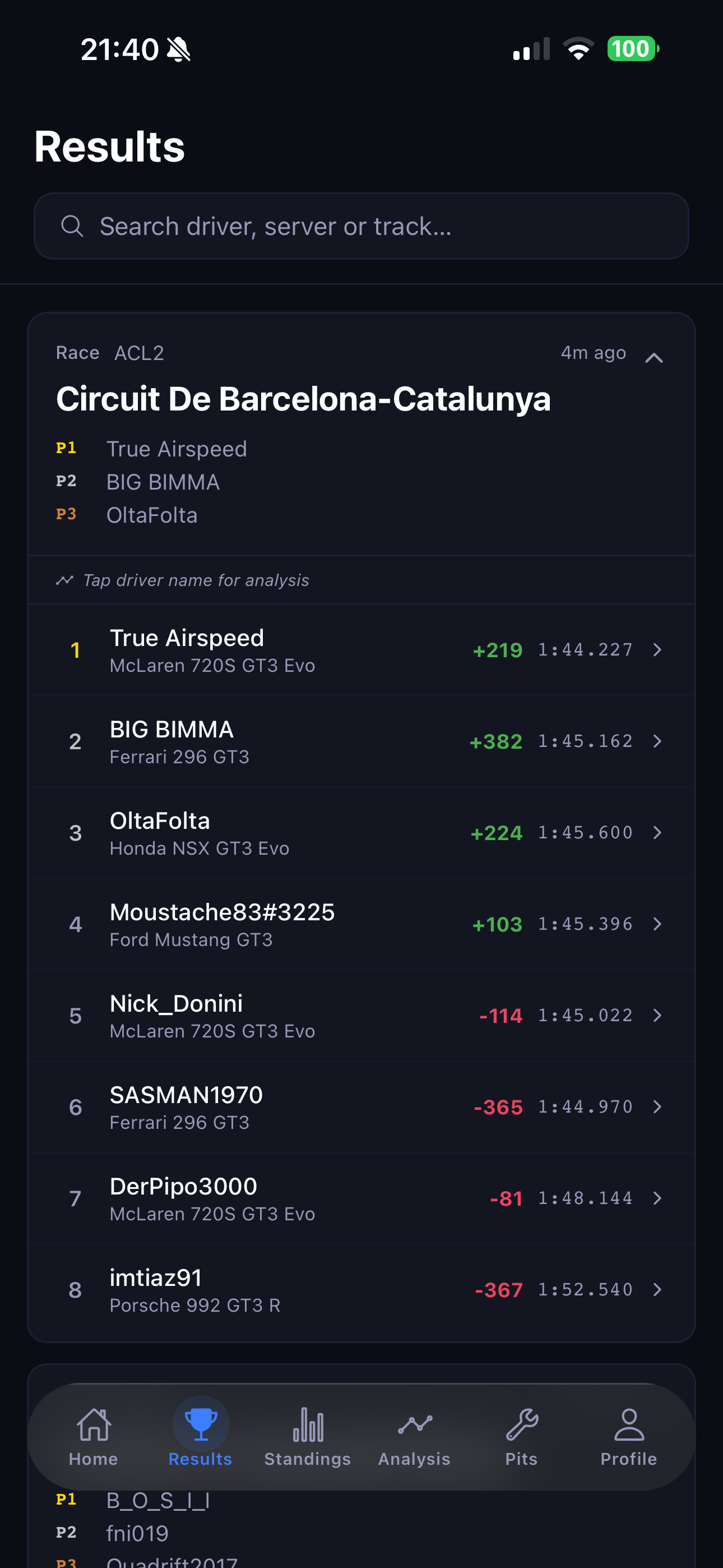
Every race result across the league, newest first.
- Scroll the list of recent race sessions.
- Tap a session to expand the full leaderboard — finishing order, lap times, and how each driver's rating moved.
- Use the search bar to filter by driver, server or track.
- Tap any driver to open their full analysis page.
Lap times are shown in racing format (m:ss.mmm), and the green/red number is each driver's DR change from that race.
02-results.png📊 Standings
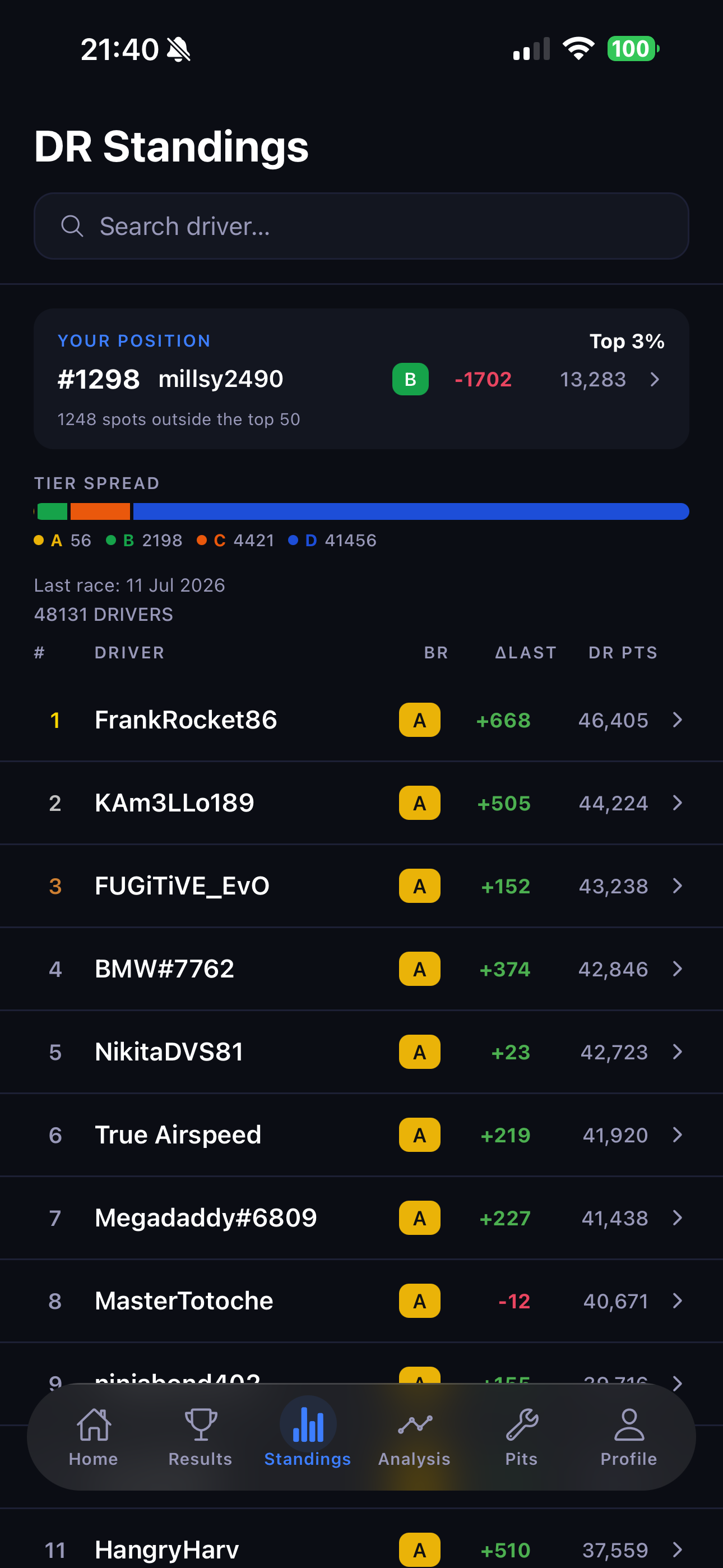
03-standings.pngThe full championship — every rated driver ranked by DR points.
- Tier Spread bar — how the whole grid is distributed across tiers, with a legend.
- Your position card — your rank, top-percentage, and last race date (link your gamertag to see it).
- ΔLast & DR PTS columns per driver.
Search for any driver, tap to open their detail page, and pull down to refresh.
🔬 Analysis
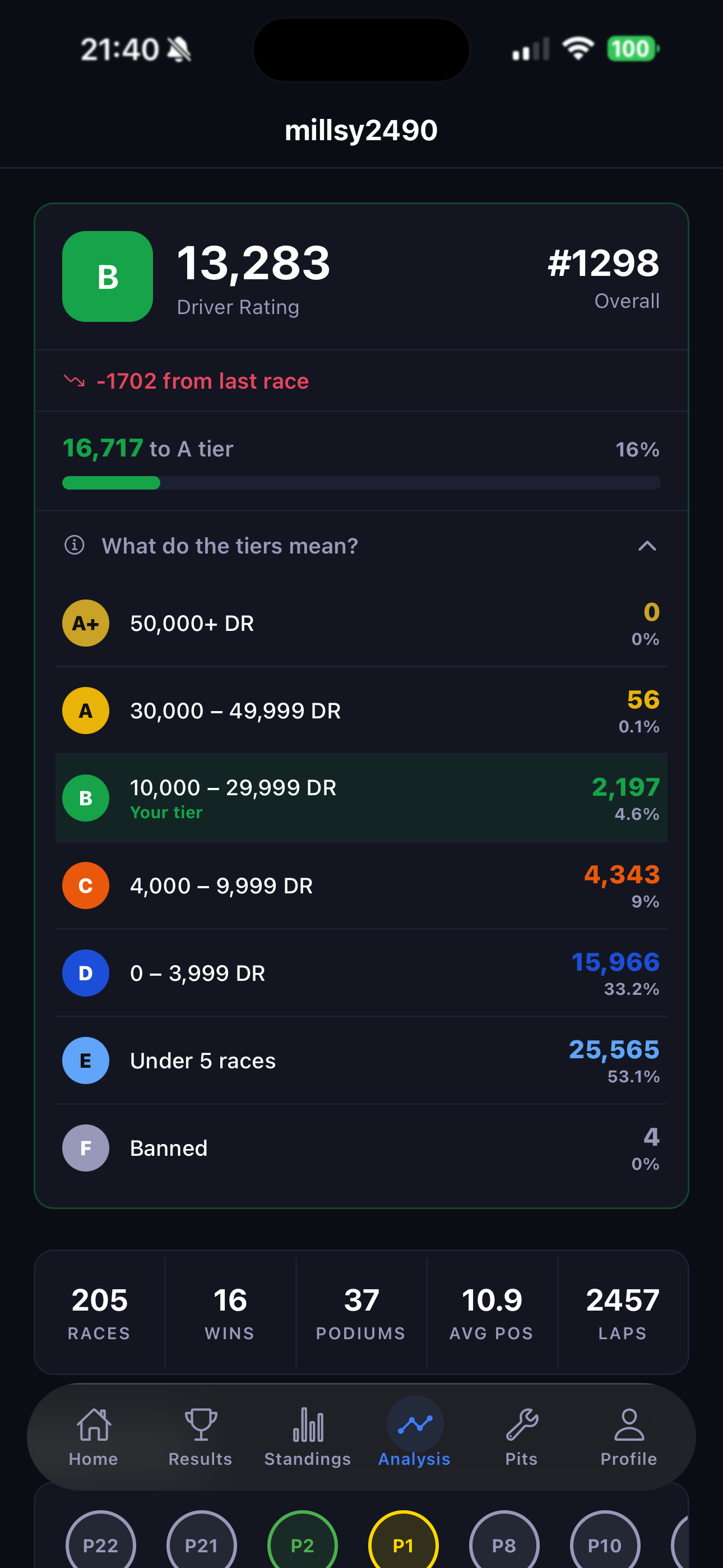
The deep dive — everything the results sheet doesn't tell you. If your gamertag is linked, your own profile loads automatically; you can also search and analyse any driver.
- DR Rating & progress to the next tier.
- Core stats — races, wins, podiums, avg position, laps.
- Performance Profile — win rate, podium rate, consistency, clean racing, experience.
- Best Tracks, Fastest Laps, Most Improved.
- Sector Times — you vs the field's best, and the gap.
- Key Rivals & Incidents.
Tap “What do the tiers mean?” for the full tier guide (A+ down to D, plus provisional and banned).
04-analysis.png🔧 Pits — the setup toolkit Members
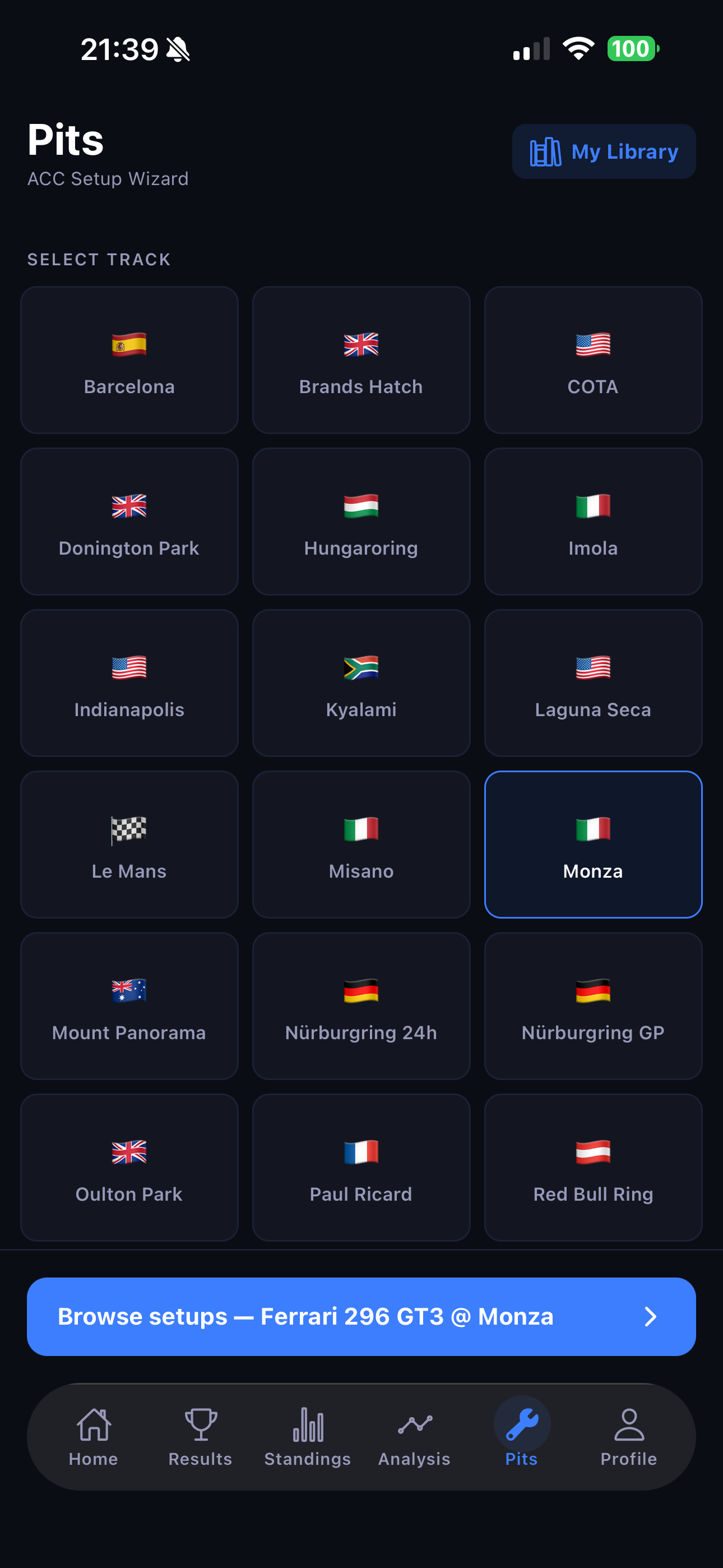
A guided ACC setup toolkit for every car and track: official setups, tuning suggestions for the conditions, and a fuel calculator so you're never caught short on race day. A 3-step wizard walks you through it.
08-pits-track.png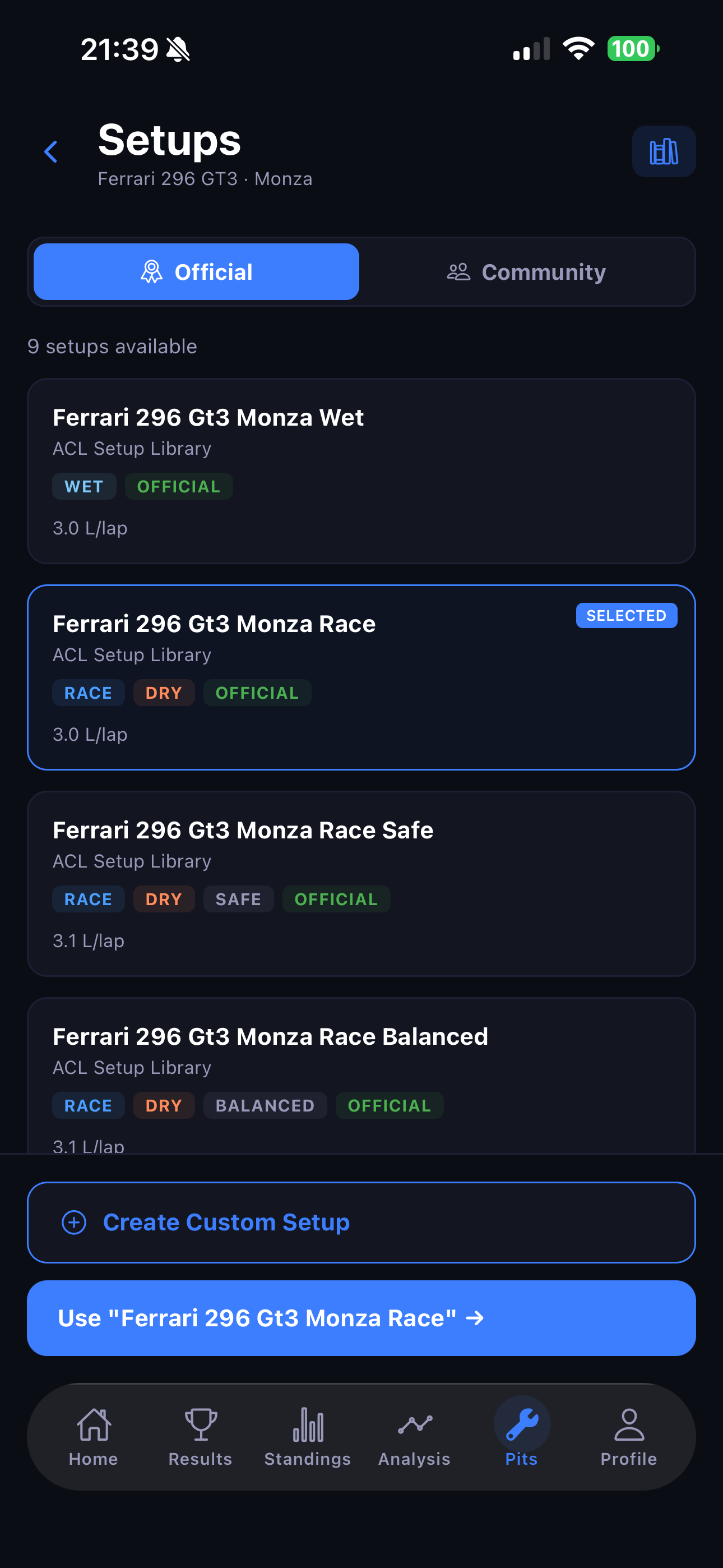
07-pits-official.png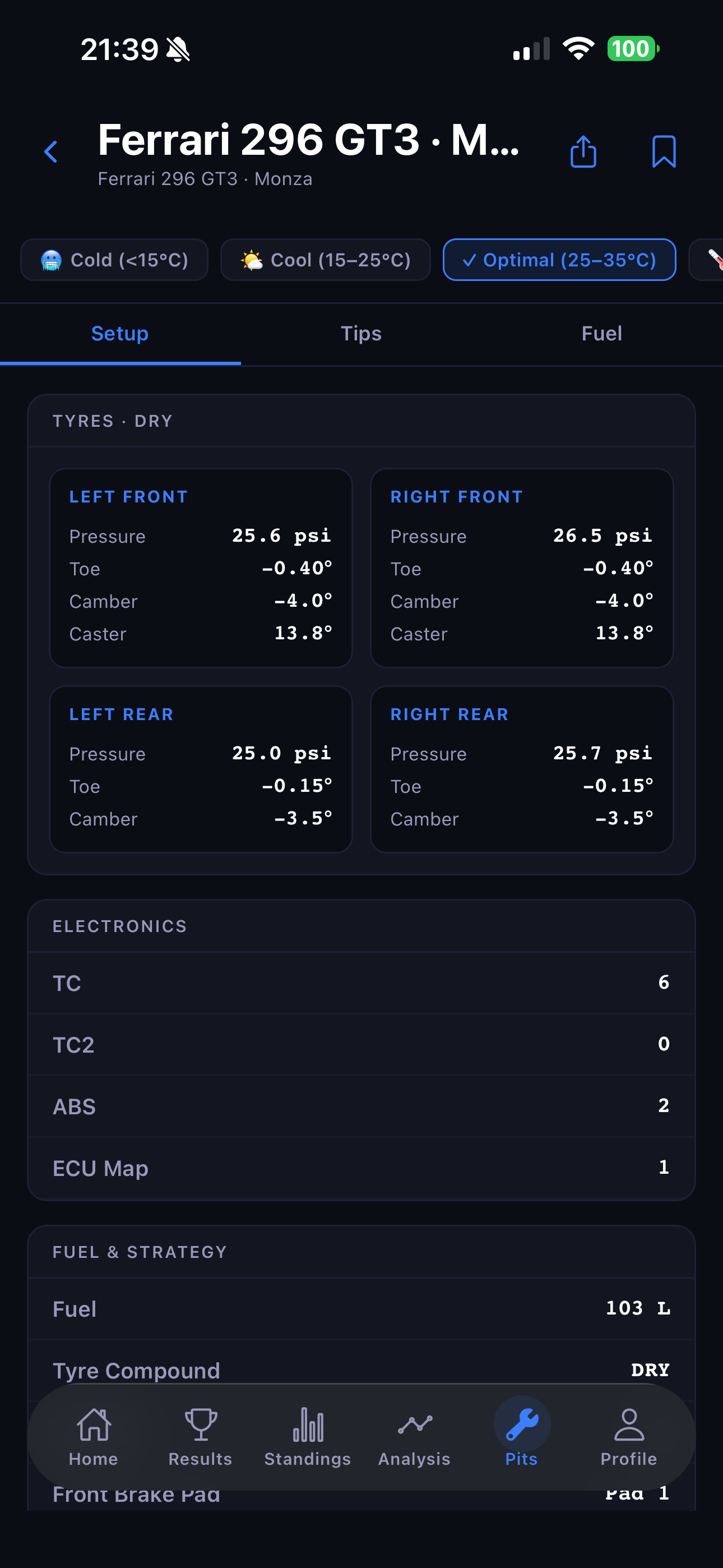
06-pits-viewer.pngCondition-based tuning
Suggestions adjust for temperature bands (Cold · Cool · Optimal · Hot · Very Hot) and weather (Dry · Damp · Light · Heavy), with a “conditions are optimal” indicator when no changes are needed. The Fuel tab gives a recommended fuel load and tyre compound.
Community setup bank & library
Browse setups shared by other racers, sorted by Top-rated or Newest and filtered by car and track; vote on the ones that work, and publish your own (requires a linked gamertag). Save any setup to My Library and share it as an image.
👤 Profile
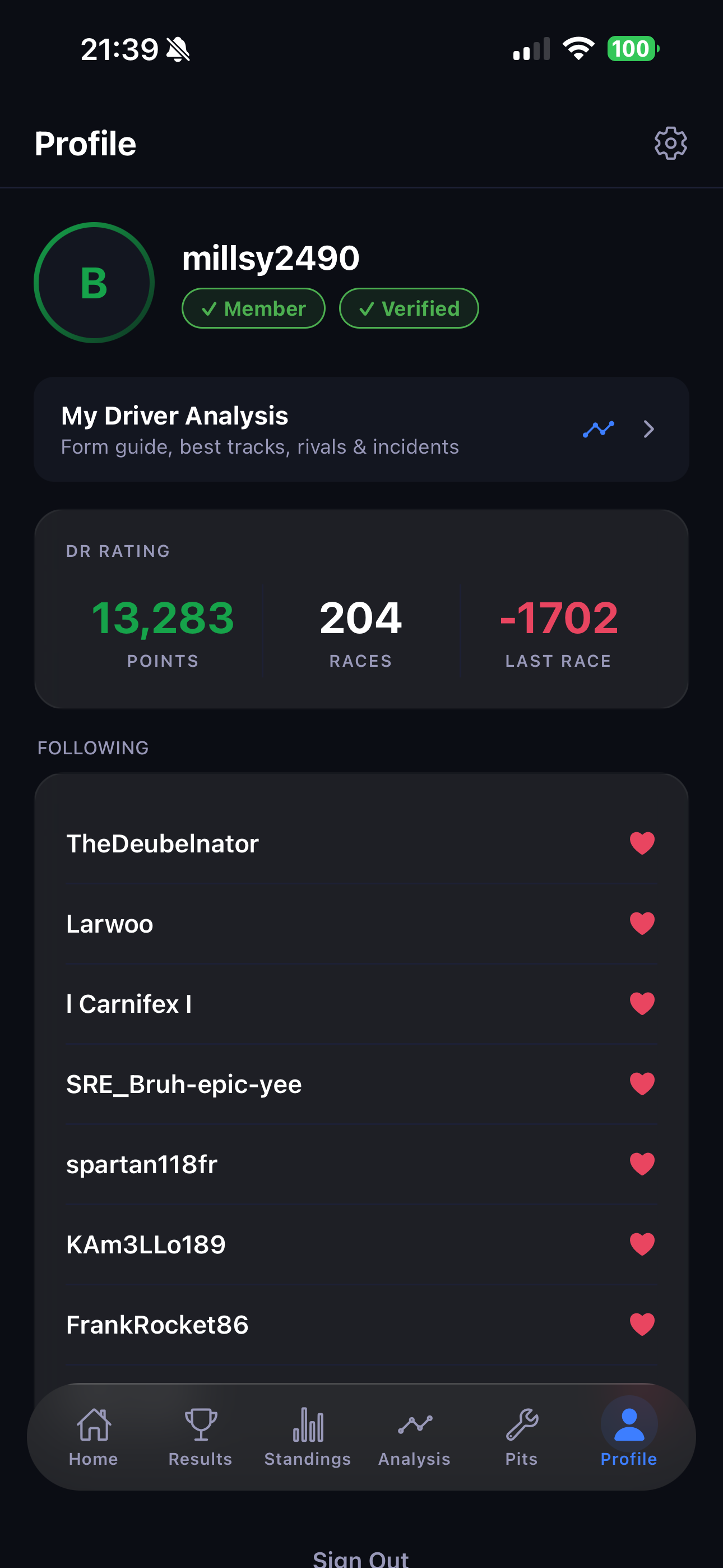
10-profile.pngYour account hub. When signed in and linked you'll find:
- Driver card — gamertag with Member/Free and Verified badges.
- DR rating card — points, races, last race.
- My Driver Analysis shortcut.
- Following list — the drivers you follow.
- Upgrade to Member, Restore Purchases and Sign out.
Open Settings from the gear icon top-right.
🔔 Notifications Members
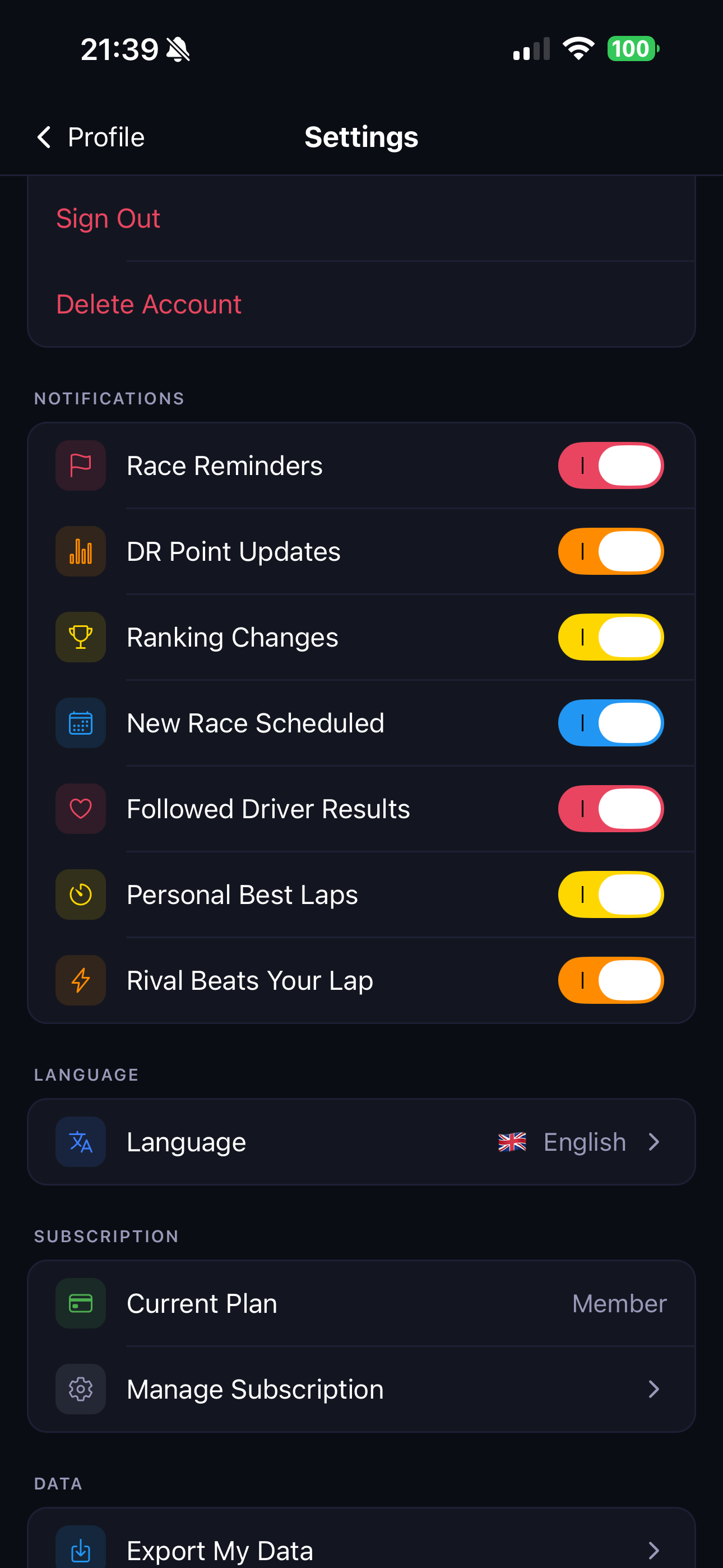
Stay on top of everything without opening the app. Toggle each type in Settings → Notifications.
Standard alerts
- DR change — your rating moved after a race.
- Ranking change — your standings position shifted.
- Race result — a race you were in was posted.
- Followed-driver result — a driver you follow has a new result.
- New race & Race reminder.
Lap-time alerts (opt-in — off by default)
- Personal Best Laps — a ping when you beat your own best lap at a track.
- Rival Beats Your Lap — a ping when a driver you've ⚡ marked as a rival beats one of your best times at a shared track. Mark rivals from a driver's detail page.
11-settings.png⚙️ Settings, data & support
- Account — gamertag, email, sign out, delete account.
- Notifications — toggle every alert type (see above).
- Subscription — current plan & Manage Subscription.
- Export My Data Members — CSV (spreadsheet-ready) or JSON (full export), with a date-range picker (30d / 3m / 6m / 1y / all time).
- Language — English, Spanish, French, German, Italian, Portuguese.
- Support — Replay Intro, Contact Us, Rate the App, Privacy Policy, Terms of Use.
Frequently asked questions
Do I need an account to use the app?
No. You can browse results, standings, driver analysis and track records without signing in. You only need to sign in for things tied to your own profile — race sign-ups, following drivers, notifications and membership.
How do I claim my stats?
Link your gamertag on the Profile tab, exactly as it appears in the results. That's it — claiming it also gives you the Verified badge automatically. There's no verification lap to complete anymore.
Do I still need to do a verification lap?
No. Verification laps have been removed — linking your gamertag verifies you instantly. Member features just need an active subscription.
Why can't I sign up for a race or open the Pits toolkit?
Those are member features. Start your 1-month free trial from Profile → Upgrade to Member.
How do I turn notifications on or off?
Go to Settings → Notifications and toggle each type. Notifications are a member feature; the Personal Best and Rival lap alerts start switched off.
How do I cancel my membership?
Settings → Subscription → Manage Subscription, or in your iPhone's Apple ID subscription settings. You keep member access until the end of the paid period.
How do I delete my account?
Settings → Account → Delete Account. This permanently removes your profile and data. Note it does not cancel an active Apple subscription — cancel that separately in your Apple ID settings.
I found a bug or have feedback.
Use Contact Us in the app — the Discord server is the fastest way to reach the league.
| # | Driver | Tier | DR | Races | Last race |
|---|
| # | Driver | Races | Wins | Win % |
|---|---|---|---|---|
| ⏳ Loading… | ||||